FLIR

Thermal Studio Suite Pro Perpetual Subscription

Model: ID133

Mfr. No.: T300083

  • Thermal Studio Suite Pro Perpetual Subscription Quali-T-Solutions

Colour, sizing or style depicted in some photos may not be exactly as described.
Please check your product description carefully before placing your order.

$1,930.00 / Each

0 In Stock

Ships in 2-3 weeks

Shipping times are based on information available at the time of order and are subject to change.

Type

Download via link

Country Of Origin

Sweden


  • Perpetual subscription
  • Full range of advanced analysis and reporting functionality
  • View, stream, and record radiometric video (includes dual streaming)
  • Batch processing with all image and measurement controls
  • Compatible with Route Creator plugin (sold separately) for building and downloading inspection plans
  • Professional inspection reports: Build reports with more than 100 images quickly with fully customizable templates, overlays, and formulas
  • Streamline thermal analysis: Advanced tools such as batch processing and magic wand accelerate post-processing tasks
  • Enhance thermal videos: Record and show your findings more clearly by analyzing, recording, segmenting, and editing thermal video
  • Streamline inspections, automate data collection, and simplify image editing
  • Batch processing allows you to prepare 1000s of thermal and visual images at once, saving time
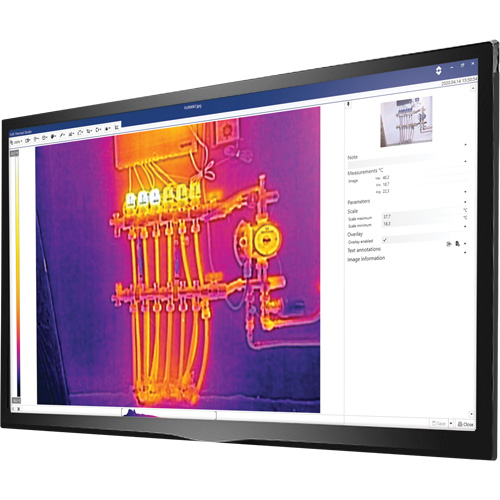
  • Image editing suite includes zoom/pan, palette changes, measurement tools, temperature scale auto-adjustments, annotations, and more
  • Add advanced image editing features to your thermal photos and files
  • Route Creator (sold separately) helps you pre-build routes through survey locations for more efficient surveys
  • Predefined and custom templates allow you to create tailor-made reports
  • Flexible document format offers easy drag and drop action so you can add hundreds of editable images at once to your report
  • Exports reports as an XPS spreadsheet or PDF document without the need for additional software (example: Microsoft Office)
  • Includes easy-to-use video editing that allows you to share inspection highlights
  • Analysis and reporting software helps you adjust saved IR images after an inspection, allowing you to fine-tune critical details, including level and span, emissivity, and color palette selection to better identify problems and convey repair recommendations to untrained decision-makers
  • As analysis and reporting solutions evolve, streamlining on-site inspections and automating the reporting process creates a new level of efficiency, saving time on the job and at the desk